Image Credit: Pixabay under Creative Commons
Every time you open a browser, stream a movie, or send a message, that data has to travel through a tollbooth. Your Internet Service Provider (ISP) owns that tollbooth. You pay them a monthly fee for the privilege of accessing the web, but for many telecom companies, your subscription fee is just the beginning. The real profit lies in monitoring, logging, and often monetizing your digital footprints.
If you think your browsing history is private just because you clear your cache or use a private browsing window, you are leaving your front door wide open. The companies providing your internet access sit in a privileged position. They operate the physical infrastructure connecting your devices to the rest of the web. Because they route every single piece of data you request, they have a front-row seat to your personal life.
Let’s break down exactly how internet providers execute this surveillance, the underlying technologies making it possible, and the concrete steps you must take to lock them out of your personal affairs.
The Illusion of the “Dumb Pipe”
Years ago, telecom companies were largely considered “dumb pipes.” Their only job was to move data from point A to point B without looking inside the package. Those days are dead.
Modern providers operate as highly sophisticated data brokers. They deploy network-wide surveillance tools to track user behavior, build detailed marketing profiles, and manage bandwidth traffic. A landmark report by the Federal Trade Commission (FTC) revealed that several major telecom operators collect staggering amounts of sensitive consumer data. We are talking about granular details: real-time location data, browsing habits, app usage, and even characteristics that could indicate your economic status, political affiliations, or medical concerns.
This tracking does not require someone sitting at a desk reading your emails. It happens automatically at the network level, executed by algorithms designed to categorize and log millions of connections per second.
The Technical Blueprint: How ISPs Watch You
Understanding how to protect yourself requires understanding the mechanics of the surveillance. Telecom companies rely on a few specific methodologies to intercept and analyze your traffic.
DNS Logging: Reading the Internet’s Phonebook
Think of the Domain Name System (DNS) as the phonebook of the internet. Computers do not understand website names like “google.com” or “webmd.com.” They only understand IP addresses, which are strings of numbers. When you type a web address into your browser, your computer sends a DNS query to find the corresponding IP address.
By default, your router uses your ISP’s DNS servers. This means every single time you navigate to a new website, you are asking your provider for directions. They log these requests. Even if you only stay on a site for two seconds, the DNS log permanently records that you asked for the address. Over months and years, these logs create a highly accurate psychological profile of your habits, interests, and vulnerabilities.
Server Name Indication (SNI): The Metadata Loophole
You might assume that visiting a secure website—one with the little padlock icon indicating HTTPS encryption—keeps you completely hidden. That is only partially true.
HTTPS encrypts the content of the page you are viewing. If you are on a secure banking site, your provider cannot see your passwords, your account balance, or the specific pages you click. However, because of a protocol feature called Server Name Indication (SNI), they still know exactly which bank you are visiting.
During the initial connection handshake between your computer and the website’s server, your browser has to announce the name of the site it wants to connect to. Historically, this SNI request is sent in plain text. So, while the ISP cannot read the specific article you are reading about a medical condition, they absolutely know you are spending three hours on a specialized oncology forum. Metadata often tells the whole story without needing the actual content.
Deep Packet Inspection (DPI): Looking Inside the Envelope
When you send or receive information online, the data is chopped up into tiny fragments called packets. Deep Packet Inspection is a method of examining the data part of a packet as it passes an inspection point.
While encryption hides the actual text or images inside the packet, DPI can analyze the size, shape, timing, and destination of the packets. This is called traffic analysis. By studying these patterns, an internet provider can determine exactly what kind of activity you are engaged in. They can tell the difference between someone streaming a 4K video on Netflix, playing an online multiplayer game, or downloading a massive file via BitTorrent. They use this information to manage network loads, often selectively slowing down specific types of traffic.
IP Address Tracking & Location Data
Your internet provider assigns the IP address your home router uses to face the public web. They know exactly which customer account is tied to which IP address at any given second. Every action taken under that IP is linked directly to your billing profile, your physical home address, and your real name. There is zero anonymity.

Image Credit: Pixabay under Creative Commons
Unencrypted HTTP Traffic: Total Visibility
If you visit an older website that still uses HTTP instead of the secure HTTPS protocol, you have no privacy whatsoever. Everything is transmitted in clear text. Your provider can see the exact URLs you visit, the specific images you look at, the search terms you type into forms, and the files you download. Fortunately, unencrypted web traffic is becoming rare, but it still exists on older or poorly maintained corners of the web.
The Motive: Why Are They Hoarding Your Data?
Collecting, storing, and analyzing petabytes of user data is expensive. Telecom companies would not do it unless there was a massive return on investment or a strict legal requirement. The motivation usually falls into three distinct categories.
-
The Data Broker Economy (Profit)
User data is incredibly valuable. By monitoring what you buy, what you search for, and where you go, telecom operators can group you into demographic profiles. These profiles are then used for hyper-targeted advertising. Some providers have built their own advertising networks, while others share aggregated, anonymized data with third-party marketing affiliates. The term “anonymized” is doing a lot of heavy lifting here—privacy researchers have repeatedly proven that it takes very little effort to deanonymize data sets and identify specific individuals.
-
Network Management and Throttling
ISPs need to keep their networks stable. If everyone in a neighborhood decides to download massive video game updates at the exact same time, the local infrastructure can choke. Providers use Deep Packet Inspection to identify bandwidth-heavy activities like peer-to-peer file sharing or ultra-high-definition streaming. Once identified, they can artificially throttle (slow down) that specific traffic to free up space for other users. While they claim this is for network health, it frequently penalizes users who are simply trying to use the bandwidth they paid for.
-
Legal Compliance and Law Enforcement
Governments around the world enforce strict data retention laws. Telecom operators are legally obligated in many jurisdictions to store user connection logs, IP address assignments, and metadata for a specific period—often ranging from six months to two years. If law enforcement agencies show up with a warrant or a subpoena, the provider must hand over your digital history.
The Reality Check: What They Can and Cannot See
To make this practical, let’s look at exactly what visibility your provider has under different conditions.
| Your Online Action | HTTP (Unencrypted) | HTTPS (Encrypted) | Connected via VPN |
| Website Domain (e.g., youtube.com) | Visible | Visible (via DNS/SNI) | Hidden |
| Specific Page (e.g., /watch?v=123) | Visible | Hidden | Hidden |
| Passwords and Messages | Visible | Hidden | Hidden |
| Search Queries | Visible | Hidden (unless typed in URL bar before encryption) | Hidden |
| Time Spent Online | Visible | Visible | Visible (They know you are connected to the VPN) |
| Total Data Used | Visible | Visible | Visible |
Your provider will always know how much data you are using and when you are online. A VPN cannot hide the sheer volume of data moving through the cables, but it completely blinds them to the destination and contents of that data.
Pros and Cons of ISP Network Monitoring
We have to view this objectively. Network-level tracking is heavily skewed toward corporate profit and surveillance, but it does serve some functional engineering purposes.
The Pros:
- Security Filtering: Providers can identify botnet traffic, block massive Distributed Denial of Service (DDoS) attacks, and stop known malware domains from reaching your router.
- Infrastructure Stability: Traffic shaping prevents localized network outages during peak usage hours.
- Child Protection Laws: Monitoring assists authorities in tracking down distributors of illegal exploitation material.
The Cons:
- Erosion of Privacy: Your intimate medical, financial, and personal queries are logged and commodified.
- Artificial Throttling: Providers intentionally degrade the performance of specific apps or streaming services, violating the spirit of net neutrality.
- Security Risks: Centralized databases containing the browsing habits of millions of citizens are massive targets for hackers. If an ISP suffers a data breach, your entire digital life gets leaked to the dark web.
Common Mistakes People Make About Privacy
People often rely on half-measures, thinking they are invisible when they are actually fully exposed. Avoid these common traps.
Trusting Incognito Mode
Private browsing or “Incognito Mode” is the most misunderstood feature in modern computing. It does exactly one thing: it stops your browser from saving your history, cookies, and search terms locally on your hard drive. It keeps your roommate from seeing what you searched for. It does absolutely nothing to hide your traffic from your router, your employer, or your internet provider.
Relying Solely on HTTPS
Seeing a secure connection is great for protecting your credit card from a hacker sitting at the same coffee shop. But as explained earlier, the SNI and DNS requests still leak the domain names you visit directly to your provider. HTTPS protects the payload, but not the destination.
Using “Free” VPNs
Running a global network of encrypted servers costs a fortune. If a VPN service is entirely free, you are not the customer; you are the product. Free VPNs often engage in the exact same behavior you are trying to escape: logging your traffic, injecting advertisements, and selling your browsing data to third parties. Replacing an untrustworthy ISP with an untrustworthy free VPN achieves nothing.
The Privacy Playbook: Best Practices to Shut Down Tracking
Taking back your privacy requires a layered approach. You cannot rely on a single setting; you need to apply technical friction to make tracking you mathematically impossible or economically unviable.
-
Route Everything Through a Premium VPN
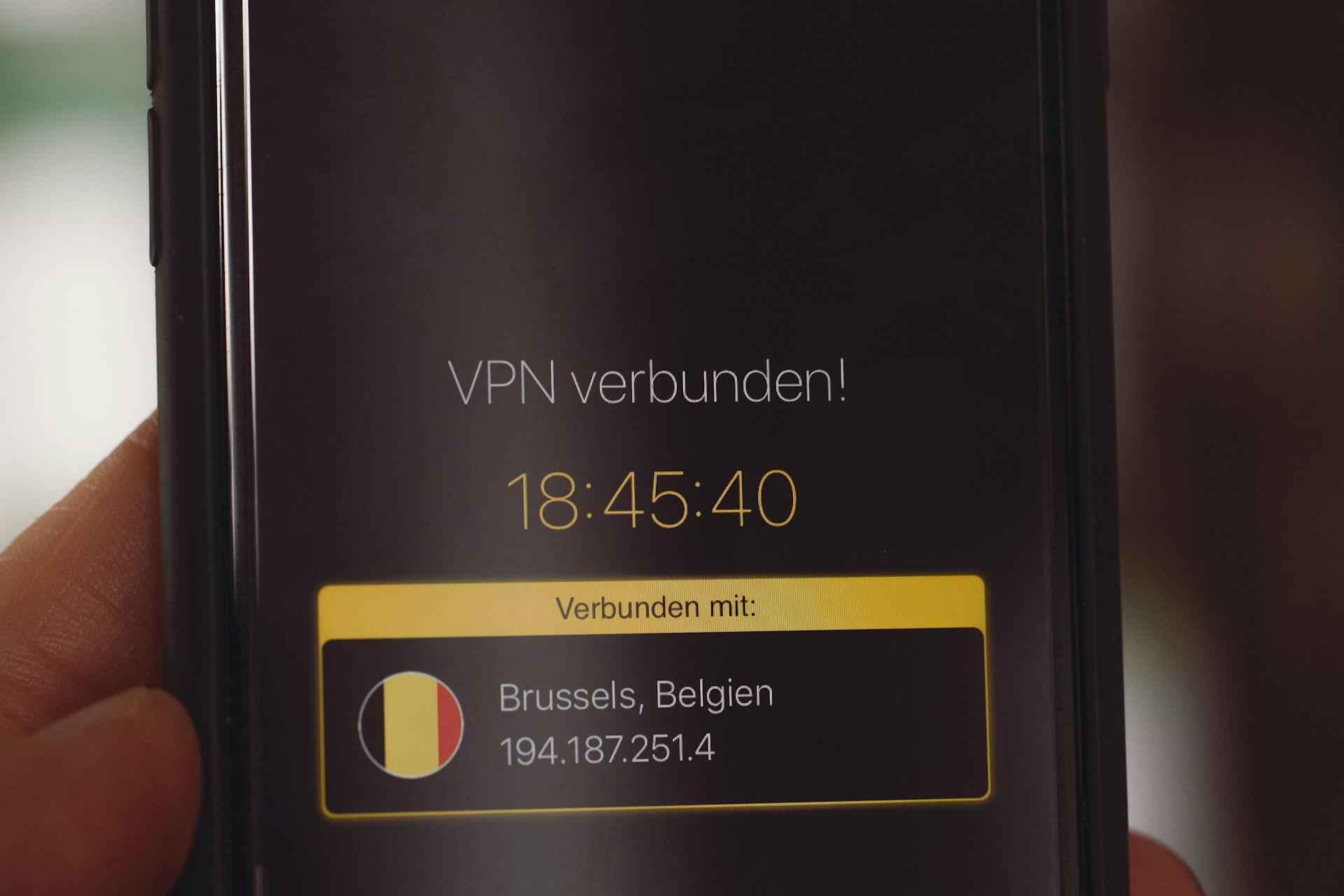
A Virtual Private Network is the single most effective tool against ISP surveillance. When you activate a trusted VPN, it creates an encrypted tunnel between your device and a remote server.
Your internet provider still routes the traffic, but all they see is a stream of scrambled, encrypted data flowing to a single IP address (the VPN server). They cannot see your DNS requests, they cannot read the SNI headers, and their Deep Packet Inspection tools will just hit a wall of cryptographic noise.
Pro Tip: Choose a VPN provider that operates under a strict, independently audited “No-Logs” policy. Look for features like a kill switch (which cuts your internet if the VPN drops, preventing accidental data leaks) and RAM-only servers (which wipe all data the moment power is turned off).
-
Configure Encrypted DNS (DoH / DoT)
If you cannot use a VPN all the time, you must stop using your provider’s DNS servers. Modern browsers support a feature called DNS over HTTPS (DoH). This encrypts your DNS queries and hides them inside regular HTTPS traffic.
Instead of asking your telecom company for the IP address of a website, your browser asks a secure, privacy-focused third party (like Quad9 or Cloudflare) using an encrypted channel. You can enable DoH directly in the settings of Firefox, Chrome, Edge, or Safari. This closes the easiest tracking loophole available to network operators.
-
Embrace the Tor Browser for Sensitive Queries
For threat models requiring absolute anonymity—such as whistleblowers, journalists in hostile regimes, or individuals researching highly sensitive topics—the Tor Browser is necessary. Tor bounces your traffic through three random volunteer servers around the globe, wrapping the data in multiple layers of encryption.
Your ISP will know you are connected to the Tor network, but they will have absolutely zero visibility into what you are doing. Be aware that Tor is significantly slower than a standard browser, making it unsuitable for video streaming or gaming, but it remains the gold standard for pure anonymity.
-
Enable Encrypted Client Hello (ECH)
This is an emerging technology designed to fix the SNI metadata leak. Encrypted Client Hello (ECH) encrypts the initial handshake between your browser and the website server. When combined with DoH, ECH completely blinds the network operator to the domains you are visiting. Support for ECH is currently rolling out across major browsers and cloud infrastructure providers. Keep your browser fully updated to ensure you benefit from this protocol as it becomes the new standard.
Wrapping Up the Privacy Threat
You cannot control the infrastructure of the internet, but you can control the data you feed into it. Telecom operators have built incredibly lucrative side hustles by treating your private browsing data as an exploitable resource. They are not going to stop voluntarily.
By applying strong encryption, utilizing trusted VPNs, and changing how your devices handle DNS requests, you strip away their visibility. You downgrade them back to what they were always supposed to be: a dumb pipe that moves encrypted packets from one place to another, blind to the secrets hidden inside.
FAQ: Frequently Asked Questions
Can my ISP see my messages on WhatsApp or iMessage?
No. Modern messaging apps use end-to-end encryption. Your provider can see that you are sending data to the WhatsApp servers, and they can see how much data you are sending, but the actual text, photos, and voice notes are mathematically scrambled. They cannot read your conversations.
If I use a VPN, can the VPN provider track me instead?
Yes, technically. When you use a VPN, you are shifting trust from your telecom operator to the VPN company. This is why you must aggressively research your VPN provider. You want a company based in a privacy-friendly jurisdiction (outside the US/UK data-sharing alliances) that has undergone public, third-party security audits verifying they keep zero logs of user activity.
Do ISPs track my data when I use mobile data (4G/5G)?
Absolutely. Your cellular provider (AT&T, Verizon, Vodafone, etc.) acts as your ISP when you are off Wi-Fi. In fact, mobile providers have historically been even more aggressive with tracking, often injecting tracking headers into unencrypted web traffic to monitor user behavior across networks. You need a VPN on your smartphone just as much as you need one on your laptop.
Will using a VPN stop internet throttling?
In many cases, yes. Providers use Deep Packet Inspection to throttle specific services, like slowing down YouTube to manage network strain. Because a VPN encrypts the traffic, the provider cannot tell if you are watching a 4K video or downloading a large spreadsheet. Since they cannot identify the traffic type, they generally cannot selectively throttle it. However, if they are throttling your entire connection due to exceeding a monthly data cap, a VPN will not bypass that physical restriction.
Can my employer see what I do on my home Wi-Fi if I work from home?
If you are using your personal computer on your personal Wi-Fi, your employer cannot see your activity. However, if you are using a company-issued laptop, assume everything is monitored. Corporate devices usually have administrative software installed that logs keystrokes, web history, and app usage regardless of what network you are connected to. Never use a work machine for personal browsing.