
Protecting Your Smart Home: Using VPNs to Secure IoT Devices
Your light bulb doesn’t need the internet. Yet it has it.
Your door lock talks to servers halfway across the world.
Your vacuum cleaner uploads floor maps.
This isn’t paranoia. This is how smart homes work.
The uncomfortable truth: IoT devices are tiny computers with permanent internet access and very little security. You can change passwords, update firmware, and pray—but if your network is exposed, your smart home is exposed.
This article shows how VPNs fit into smart-home security realistically. Not as a silver bullet. Not as marketing fluff. As a practical layer that actually reduces risk—when used correctly.
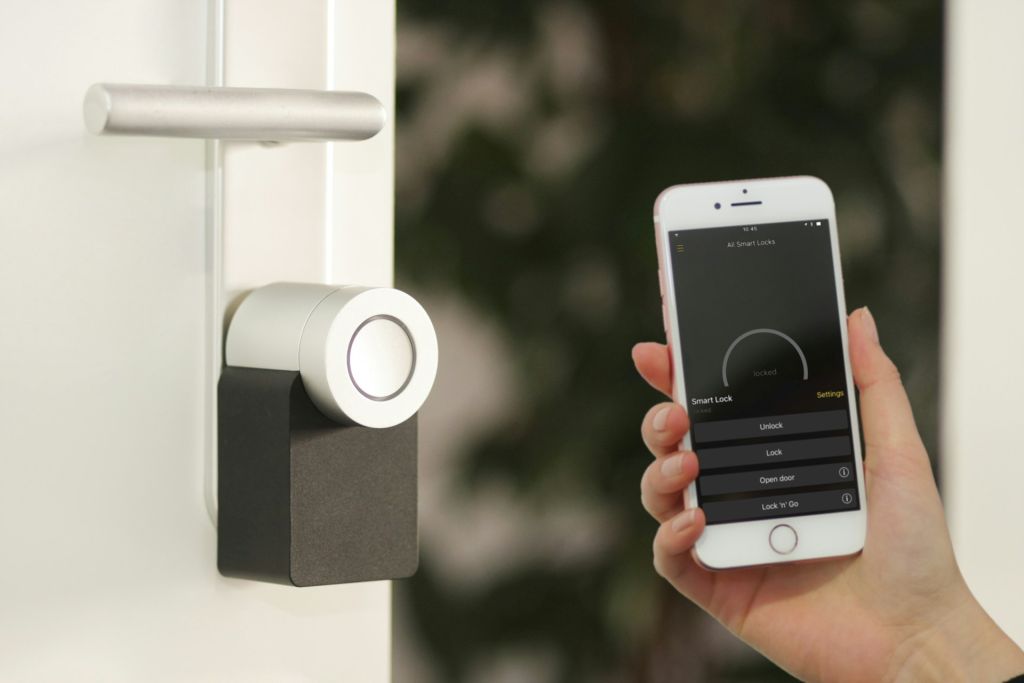
Image Credit: Unsplash under Creative Commons
The Real IoT Problem (It’s Not Hackers in Hoodies)
Most smart-home risks don’t come from dramatic break-ins. They come from boring, systemic issues:
Hardcoded credentials
Rare or abandoned firmware updates
Always-on outbound connections
Cloud dependency you can’t audit
Flat home networks where everything trusts everything
Your smart fridge doesn’t need to be “hacked” to leak data. It just needs to phone home exactly as designed.
Why IoT Devices Are Structurally Insecure
This matters because it shapes what a VPN can—and cannot—fix.
Tiny Hardware, Tiny Budgets
IoT manufacturers optimize for:
Cost
Speed to market
Battery life
Security is rarely the top priority.
That’s why many devices:
Use outdated libraries
Skip proper certificate validation
Don’t support modern encryption standards
Never receive updates after launch
Once installed, they quietly age like unpatched servers.
What a VPN Actually Does for a Smart Home (And What It Doesn’t)
Let’s draw a clean boundary.
What a VPN Does Protect
Encrypts outbound traffic from your home network
Prevents ISP-level monitoring and profiling
Hides real IP addresses of devices from external services
Shields IoT devices when accessing cloud services
Adds a buffer against certain network-based attacks
What a VPN Does Not Fix
Vulnerable firmware
Malicious manufacturer behavior
Weak local authentication
Insecure device APIs
Poor network segmentation
A VPN is a privacy and transport control tool, not a firmware patch.
The Smart Home Threat Model (Quick but Honest)
Think in layers.
External Threats
ISP traffic inspection
Opportunistic scanning
DDoS targeting exposed IPs
Data harvesting by third parties
Internal Threats
One compromised device scanning others
Lateral movement inside your network
Weak guest network isolation
Default credentials reused across devices
A VPN helps most with external threats. Internal threats require additional measures.
Where VPNs Fit Best in Smart Home Architecture
The right place for a VPN is not on individual IoT devices. Most can’t run one anyway.
The correct placement is at the network edge.
Router-Level VPN: The Core Strategy
Installing a VPN on your router means:
Every IoT device routes traffic through the tunnel
No per-device configuration
Centralized control
Consistent encryption
This approach treats your smart home as a single protected organism rather than dozens of fragile endpoints.
Why App-Based VPNs Are Useless for IoT
This needs saying clearly.
Smart plugs can’t install apps
Cameras won’t respect system VPNs
Hubs often bypass OS-level VPN settings
Mobile-only VPNs protect phones, not homes
If your VPN doesn’t live on the router, your smart home isn’t actually protected.
Network Segmentation + VPN: The Real Power Combo
This is where things get interesting.
Segment Your Smart Devices
Create a separate network or VLAN for:
Cameras
Smart TVs
Voice assistants
Sensors
Appliances
Keep them away from:
Laptops
Phones
Work devices
NAS systems
Then Apply VPN Routing Selectively
With policy-based routing, you can:
Route IoT VLAN traffic through the VPN
Keep personal devices on direct internet
Avoid latency on phones and laptops
Reduce blast radius if a device is compromised
This is smarter than “VPN everything.”
DNS: The Quiet Leak Most People Miss
Even with a VPN, DNS can betray you.
Common Mistake
Traffic goes through VPN
DNS requests go to ISP servers
Result?
Your ISP still sees every domain your devices contact.
Better DNS Choices
VPN provider DNS
Privacy-focused DNS resolvers
DNS over TLS or HTTPS (if router supports it)
Smart homes generate a shocking amount of DNS traffic. Locking this down matters.
Cloud Dependency: The Elephant in the Room
Most smart homes depend on the cloud.
That means:
Commands leave your house
Data is processed elsewhere
Trust is outsourced
A VPN doesn’t eliminate cloud dependency—but it obscures and encrypts the path.
This reduces:
Passive monitoring
Metadata collection
Profiling by upstream providers
You can’t control the destination. You can control the journey.
Performance Reality: Will a VPN Slow My Smart Home?
Short answer: usually no.
Long answer: it depends where you place it.
Low-Bandwidth Devices Don’t Care
Light switches
Sensors
Thermostats
Locks
These send tiny packets infrequently. VPN overhead is negligible.
High-Bandwidth Devices Might
Security cameras
Smart TVs
Streaming hubs
For these:
Choose nearby VPN servers
Avoid overloaded nodes
Consider excluding streaming devices if needed
Smart homes are mostly chatter, not floods.
A Small Scenario That Explains the Risk Clearly
A homeowner once noticed their router logs spiking at odd hours. Turns out a smart camera was repeatedly reconnecting to a server in a different country after firmware updates stopped. Nothing “malicious.” Just abandoned infrastructure.
Routing that traffic through a VPN didn’t fix the camera—but it stopped the ISP from profiling the behavior and blocked unsolicited inbound noise entirely.
Security isn’t always about stopping attacks. Sometimes it’s about limiting exposure when things age badly.
VPN Protocol Choice Matters for IoT
Not all VPNs behave the same.
Lightweight Protocols Work Better
Faster connection recovery
Lower CPU overhead
More stable on always-on routers
Heavy protocols can:
Increase latency
Cause reconnect loops
Strain consumer router hardware
Stability beats flexibility in smart homes.
Avoid These VPN + IoT Mistakes
They’re common. They’re costly.
Routing the entire household through a distant VPN server
Ignoring DNS leaks
Using ISP routers with no firmware control
Assuming “encrypted” means “secure”
Forgetting that local threats still exist
A VPN is one layer. Treat it like one.

Image Credit: Pixabay under Creative Commons
What VPNs Do Exceptionally Well for Smart Homes
This deserves emphasis.
Masking IP-based device fingerprints
Preventing ISP-level device profiling
Reducing attack surface from the internet
Encrypting always-on outbound chatter
Centralizing traffic control
These benefits compound quietly over time.
What Actually Improves Smart Home Security (Beyond VPNs)
VPNs shine brighter when paired with basics:
Strong router admin credentials
Disabled UPnP (unless explicitly needed)
Regular firmware checks
Separate guest networks
Minimal cloud permissions
Security isn’t a product. It’s alignment.
A Practical “Do This” Checklist
No fluff. Just action.
Install VPN at router level
Segment IoT devices onto their own network
Route IoT traffic through VPN only
Lock down DNS
Monitor outbound connections occasionally
Replace devices that stop receiving updates
You don’t need perfection. You need intentionality.
A Different Way to Think About Smart Homes
Your smart home is not a castle. It’s a busy train station.
Devices arrive. Devices age. Vendors disappear. Traffic flows constantly.
A VPN doesn’t turn that station into a fortress. It controls the exits, hides the passenger list, and makes surveillance harder.
And in a world where quiet data leaks are more common than dramatic hacks, that’s not nothing.




