
How VPN Servers Actually Work: From Connection Request to Encrypted Traffic
Most of us interact with a Virtual Private Network as a simple toggle switch on our screens. You open an app, click a large button, wait a few seconds for the icon to turn green, and continue browsing. But behind that momentary pause lies a complex sequence of cryptographic handshakes, secure tunneling, and network routing.
When you connect to a VPN, you are essentially firing up a secure digital pipeline between your device and a remote computer sitting in a data center somewhere in the world. Understanding how these VPN servers operate—how they authenticate you, scramble your data, and spit it out onto the public internet—reveals exactly what you are protecting and, just as importantly, what you are not.
If you want to know what happens to your data after you hit connect, you need to look at the anatomy of the server itself, the mechanics of the secure tunnel, and the journey your traffic takes to reach its final destination.

Image Credit: Unsplash under Creative Commons
The Anatomy of a VPN Server
Before data ever leaves your device, it is helpful to understand what is waiting on the other end. A VPN server is not a magical black box. It is a computer designed to handle massive amounts of network traffic, encrypt and decrypt data on the fly, and route requests to the wider internet.
Bare-Metal Hardware vs. Virtual Servers
High-quality VPN providers typically rely on bare-metal servers. These are physical machines sitting in server racks inside secured data centers. The VPN provider leases the entire physical machine, meaning all the processing power, memory, and network interfaces are dedicated entirely to handling their users’ encrypted traffic. Bare-metal servers are preferred for security because the VPN provider has complete control over the operating system and the hardware environment.
However, many providers also use virtual servers (VPS). In a virtualized environment, a single physical machine is partitioned into multiple independent virtual servers, often shared among different companies. While virtual servers are cheaper and easier to deploy in hard-to-reach geographic locations, they introduce a slight security risk. If the underlying physical machine is compromised, the virtual servers running on it could theoretically be exposed.
RAM-Only Infrastructure
Historically, VPN servers stored their operating systems, configuration files, and sometimes temporary user data on traditional hard drives. This created a significant security vulnerability. If a server was seized by law enforcement or hacked by a malicious actor, the data stored on those physical drives could be recovered.
To mitigate this, modern VPN architecture has shifted toward RAM-only servers. In this setup, the server operates entirely on volatile memory (Random Access Memory). There are no hard drives attached. The operating system and VPN software are loaded directly into RAM from a secure central image every time the server boots up. Because RAM requires continuous power to store data, simply pulling the plug on the server permanently wipes everything on it. This physical limitation makes it impossible to extract historical browsing logs from the machine.
The Connection Process: Step-by-Step
When you click connect in your VPN app, your device initiates a conversation with the chosen server. This process happens in a matter of milliseconds, but it involves several distinct phases of authentication and cryptography.
Step 1: The Cryptographic Handshake
Your device cannot just start firing encrypted data at a server and expect it to understand. The two machines must first establish the rules of engagement. This initial conversation is known as the VPN handshake.
First, your device reaches out to the server to verify its identity. You want to be absolutely sure you are connecting to your provider’s actual server in Tokyo, not a hacker intercepting your traffic at a local coffee shop. The server presents a digital certificate to prove its authenticity.
Once the server’s identity is verified, the two machines need a way to securely encrypt the data they are about to share. They use a method called asymmetric cryptography to agree on a secret encryption key. Through complex mathematical algorithms—often Diffie-Hellman key exchange—your device and the server independently generate the exact same temporary secret key without ever actually sending that key across the internet.
Step 2: Establishing the Secure Tunnel
With the secret key established, the devices switch to symmetric encryption, which is much faster and less resource-intensive. Now, they must build the actual tunnel using a VPN protocol.
A protocol is simply a set of instructions that dictates how data is packaged and transmitted. For years, OpenVPN was the industry standard due to its open-source nature and robust security. Today, WireGuard has largely taken its place. WireGuard operates inside the kernel of the operating system, allowing it to process data much faster while using a fraction of the code required by older protocols.
Step 3: Encapsulation and Data Encryption
Once the tunnel is established via the protocol, your traffic is ready to move. But a VPN does not just encrypt the contents of your data; it hides the destination, too. This is achieved through a process called encapsulation.
Imagine you are sending a letter. The letter itself (your data) is placed in an envelope with an address on the front (the website you want to visit). Without a VPN, your internet service provider can read the outside of that envelope.
When you use a VPN, your device takes that addressed envelope, encrypts it so it looks like gibberish, and places it inside a second, larger envelope. The address on this outer envelope is simply the VPN server. Your internet service provider only sees the outer envelope. They know you are sending data to a VPN server, but they have no idea what is inside or where it is ultimately going.
Most reputable providers use AES-256 or ChaCha20 ciphers for this encryption. These algorithms are so mathematically complex that it would take current supercomputers billions of years to crack them by brute force.
How Your Traffic Gets Routed to the Internet
Once your encrypted, encapsulated data packet reaches the VPN server, the server has to unpack it and send it to its final destination. This introduces a fascinating networking challenge.
Network Address Translation (NAT)
When the server receives your packet, it strips away the outer envelope and decrypts the inner contents using the secret key established during the handshake. It now sees that you want to visit a specific website.
The server forwards your request to the website, but it replaces your real IP address with its own IP address. As far as the website is concerned, the traffic is originating entirely from the VPN server.
But consider this: a single VPN server might have thousands of users connected simultaneously, all browsing different websites, and all sharing the server’s single IP address. When a website sends data back to the server, how does the server know which specific user asked for it?
The answer is a firewall function called Network Address Translation. The NAT firewall assigns a unique internal port number to your specific connection. When you request a webpage, the NAT system records that “User A on Port 1234 asked for this website.” When the website replies to the server, the NAT system checks its ledger, sees the corresponding port, re-encrypts the webpage data, and fires it back down the tunnel to your device.
This shared IP address architecture is actually a massive privacy benefit. Because your traffic is mixed with the traffic of hundreds of other users on the exact same server IP, it becomes incredibly difficult for an outside observer to isolate and track your specific browsing habits.
Real-World Scenario: The Coffee Shop Wi-Fi
To see how all these components work together, consider the classic scenario of using a laptop at a local coffee shop.
When you connect to the unencrypted public Wi-Fi and browse normally, the local router processes all your raw internet requests. Anyone sitting in the cafe with cheap packet-sniffing software can intercept your traffic, see exactly which websites you are visiting, and potentially harvest unencrypted passwords or session cookies.
Now, imagine you connect to a VPN before opening your browser. Your laptop performs the handshake with a server in Chicago and establishes a WireGuard tunnel.
When you type a web address into your browser, your laptop encrypts the request and encapsulates it. The coffee shop router still processes your traffic, but all it sees is a stream of scrambled data heading to a single IP address in Chicago. The packet-sniffer in the corner sees the exact same useless static.
The data travels across the country to the bare-metal server in the data center. The server decrypts your request, reads the destination, and forwards it to the website using its own Chicago IP address. The website replies to the server, the server’s NAT matches the response to your device, encrypts it again, and sends it back through the tunnel. You get your webpage safely, and the local network remains completely blind to your activity.
Common Misconceptions About VPN Servers
Understanding the mechanics of a server also highlights its limitations. There are several persistent myths about what this technology can actually achieve.
Misconception: VPNs Guarantee 100% Anonymity
A VPN provides privacy, not anonymity. By masking your IP address and encrypting your traffic, a VPN stops your internet service provider from seeing what you do, and it stops websites from seeing where you are. However, if you log into your personal Google account, use a credit card in your name, or allow a website to store tracking cookies in your browser, that website knows exactly who you are, regardless of your IP address.
Misconception: VPN Servers Prevent All Tracking
Many users believe a VPN acts like a comprehensive ad blocker or antivirus software. While some modern VPN apps include DNS-level ad blocking, the server itself does not stop browser fingerprinting, tracking pixels, or malicious software downloads. A VPN secures the transit of your data; it does not sanitize the websites you choose to visit.
Misconception: Routing Traffic Far Away Boosts Speed
Because VPN protocols compress data and sometimes bypass heavily congested routing paths established by your internet service provider, users occasionally experience a slight speed boost. However, physics still applies. Encrypting data takes processing power, and sending a signal to a server in Australia before it routes to a website in London creates latency. As a general rule, connecting to a VPN server will slightly decrease your maximum internet speed.
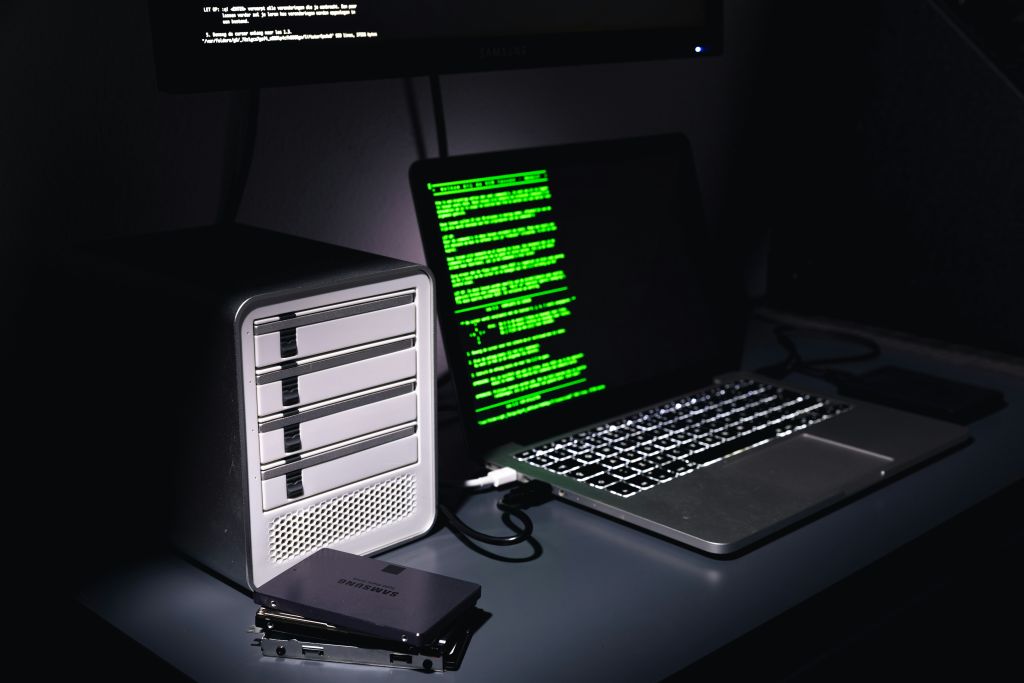
Image Credit: Unsplash under Creative Commons
Frequently Asked Questions
Where are VPN servers physically located?
VPN servers are typically housed in massive, highly secure commercial data centers. These data centers provide the necessary power redundancies, cooling systems, and massive fiber-optic bandwidth required to handle terabytes of encrypted traffic.
Does routing traffic through a server slow down my internet?
Yes, usually by a small margin. The encryption process and the physical distance the data must travel to reach the server add latency. Connecting to a server geographically closer to your actual location minimizes this speed loss.
Can the VPN server owner see my data?
Technically, yes. Because the server must decrypt your traffic to forward it to the internet, the VPN provider has the physical capability to monitor your requests. This is why choosing a reputable provider with an independently audited “no-logs” policy and RAM-only server infrastructure is absolutely critical.
What happens if the VPN server crashes?
If a server goes offline while you are connected, your secure tunnel collapses. Without intervention, your device would automatically revert to your regular, unencrypted internet connection. To prevent this, most VPN apps include a “kill switch” that immediately blocks all internet traffic on your device until the secure tunnel is reestablished.
Are virtual VPN servers safe to use?
Virtual servers are generally safe when configured correctly by a reputable provider, but they do lack the ultimate hardware-level security of a bare-metal server. Most premium providers clearly label their virtual servers so users can choose whether to use them.
Why do some websites block VPN servers?
Streaming platforms, banks, and some retailers actively block VPNs to enforce regional licensing agreements or prevent fraud. They do this by compiling massive lists of known VPN server IP addresses. When they detect traffic originating from one of those IPs, they deny the connection.
Conclusion
A VPN server is much more than a remote computer that changes your IP address. It is the anchor point for a sophisticated cryptographic system designed to protect data in transit. From the initial mathematical handshake that establishes trust to the high-speed encapsulation protocols that shield your requests from local networks, the journey of your internet traffic is completely transformed.
By routing your data through RAM-only hardware and mixing it with the traffic of countless other users via Network Address Translation, modern VPN infrastructure fundamentally changes how you interact with the internet. It shifts the burden of trust away from local network administrators and internet service providers, placing it instead on specialized secure environments. While it cannot provide total anonymity against sophisticated browser tracking, understanding how this server-side mechanics operates allows you to use the tool exactly as intended: as a powerful, encrypted shield for your digital communications.




