
How to Spot and Avoid Fake or Malicious VPN Apps
There’s something darkly ironic about downloading a VPN to protect your privacy… and accidentally installing spyware instead.
It happens. More often than you’d think.
Search any app store for “free VPN.” Scroll for thirty seconds. You’ll see apps with five-star ratings, slick logos, and bold claims like “100% Anonymous. No Logs. Unlimited Speed.”
Now here’s the uncomfortable truth: some of them are harvesting your data.
This isn’t paranoia. It’s pattern recognition.
Let’s talk about how fake or malicious VPN apps operate — and how you can avoid becoming their next statistic.
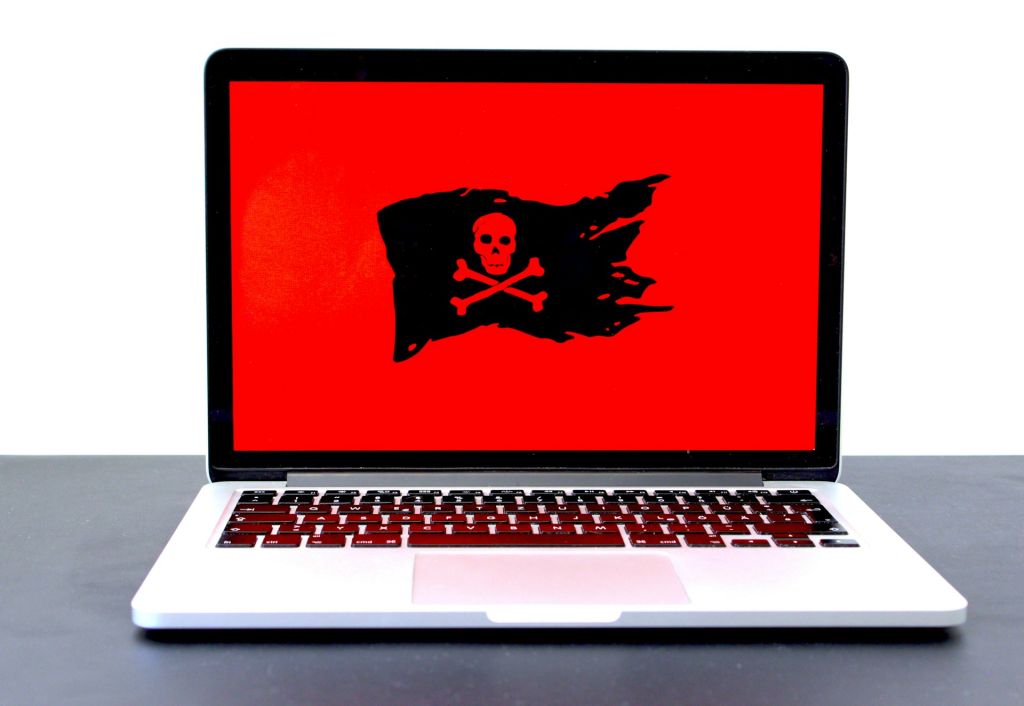
Image Credit: Unsplash under Creative Commons
The Psychology Behind Fake VPN Apps
Malicious VPN apps don’t look shady. They look reassuring.
They lean into:
Words like secure, military-grade, private
Clean UI screenshots
Over-the-top claims
“Unlimited free access”
Why? Because VPN buyers are usually reacting to fear — fear of tracking, hacking, surveillance.
And fear lowers scrutiny.
A scam VPN doesn’t need to hack you. It just needs you to trust it.
The First Red Flag: Too Good to Be True Pricing
A VPN requires:
Server infrastructure
Bandwidth costs
Security audits
Development teams
Ongoing maintenance
That isn’t free.
If an unknown VPN offers:
Unlimited bandwidth
Global servers
Zero ads
No subscription
Ask yourself: how are they paying for it?
The answer is often:
Data collection
Selling browsing behavior
Injecting ads
Using your device as a proxy node
Free can be fine. But free without a visible business model? Dangerous.
Check the Publisher — Not Just the App Name
Here’s what most people don’t do:
They don’t check who actually owns the app.
Open the app listing. Tap the developer name. Look at:
Other apps published
Company website
Contact details
Privacy policy
If the developer has:
No website
No business address
No support email
A privacy policy that looks copy-pasted
Walk away.
Legitimate VPN companies want to be known. Anonymous app publishers don’t.
Look at Reviews the Right Way
Five-star ratings mean nothing without context.
Scroll down.
Look for:
Reviews mentioning intrusive ads
Reports of battery drain
Complaints about random pop-ups
Sudden permission requests
Reports of connections dropping constantly
Watch for fake review patterns:
Generic praise (“Great app!!!”)
Short, repetitive wording
Large spikes in reviews within a few days
Real reviews sound human. They describe specific experiences.
Permissions Tell a Story
A VPN app should need:
Network access
Possibly device ID
Maybe certificate installation
It should NOT need:
Access to contacts
Camera
Microphone
SMS
Storage unrelated to configuration
If a VPN wants access to your messages, that’s not a feature.
That’s a warning.
The Logging Lie
“No logs” is the most abused phrase in the VPN world.
Here’s the trick:
Some malicious apps claim no logs but still collect:
Connection timestamps
IP addresses
Device identifiers
Browsing metadata
Read the privacy policy.
Yes, actually read it.
If it says:
“We may share data with trusted partners”
“We collect usage data for analytics”
“We may monetize aggregated insights”
You’re not anonymous. You’re inventory.
Watch for Cloned Branding
Some fake VPN apps mimic real providers.
They:
Use similar logos
Slightly alter the name
Copy screenshots
Imitate website design
Before installing, search the company independently in your browser.
If the app store listing doesn’t match the official website — something’s wrong.
The Technical Check (If You Want to Go Deeper)
If you’re slightly more technical, here’s what to test:
Connect to the VPN.
Check your public IP address.
Disconnect the VPN forcefully.
See if traffic leaks immediately.
A malicious VPN may:
Fail to encrypt traffic properly
Leak DNS queries
Not provide a real kill switch
Also check whether the VPN is using outdated protocols. Modern VPNs should support strong encryption standards, not legacy protocols from a decade ago.
Ads Inside a VPN? Be Careful.
A privacy app that bombards you with ads is suspicious by design.
Some malicious VPN apps:
Inject ads into websites
Redirect traffic
Install hidden ad SDKs
Track browsing behavior for ad revenue
It’s hard to claim privacy while monetizing your traffic.
Check for Independent Audits
Reputable VPN companies often publish:
Security audits
Transparency reports
Bug bounty programs
Malicious apps rarely subject themselves to external scrutiny.
If a VPN claims to be secure but has zero third-party validation, be cautious.
Country of Jurisdiction Matters
Where a VPN company is legally based affects:
Data retention requirements
Government access laws
Privacy enforcement
Some malicious apps hide their jurisdiction entirely.
If you can’t determine where the company operates from, that’s a red flag.
Fake VPNs on Mobile Are Especially Risky
Mobile operating systems grant VPN apps powerful permissions.
Once installed, a VPN app can:
Route all your traffic
Monitor DNS requests
Potentially intercept data
On mobile, a malicious VPN has enormous visibility into your activity.
Be stricter there than on desktop.
A Quick Story
A friend once installed a free VPN to stream content abroad. It worked.
But soon:
His battery drained unusually fast.
Pop-ups appeared in unrelated apps.
His Google account flagged suspicious activity.
Turns out the VPN app was injecting adware and routing traffic through third-party nodes.
He removed it. Factory reset his phone.
Privacy tools shouldn’t create new security problems.
A Simple Vetting Checklist
Before installing a VPN app, confirm:
Clear company identity
Legitimate website
Transparent privacy policy
Realistic pricing model
Minimal necessary permissions
Strong encryption protocols
Positive, detailed reviews
Independent audits (if possible)
If three or more of these fail, don’t gamble.
FAQ
1. Are all free VPN apps malicious?
No. Some legitimate providers offer limited free tiers. The issue isn’t “free.” It’s lack of transparency.
2. Can fake VPN apps steal passwords?
Indirectly, yes. If they log traffic or inject malicious scripts, they can expose sensitive data.
3. Are VPN apps from official app stores always safe?
No. App stores remove malicious apps regularly, but some slip through. Being listed doesn’t guarantee legitimacy.
4. What’s the safest way to download a VPN?
Visit the provider’s official website first. Then follow their verified app store link.
Final Thought
A VPN is supposed to reduce risk, not introduce it.
The moment you install a VPN, you’re giving that app permission to handle nearly all your internet traffic.
That’s a position of enormous trust.
So pause before you tap “Install.”
If the app looks shiny but feels vague… if the promises are loud but the company is invisible… if the privacy claims are bold but the policy is blurry…
Trust your hesitation.
Your data deserves better than a logo and a five-star rating.




